Where to place QR cards so guests actually scan them
Where to put QR cards at an event so guests notice and scan them, with advice on tables, entrance, screen, size, contrast and a quick test.
Published: · 4 min read
A QR card only works if someone notices it, understands it and has a free hand at that moment. Most cards that go unscanned fail on one of those three, not because guests are unwilling. The good news is that placement is cheap to get right. It takes a little thought before printing and ten minutes in the room before the doors open.
Start from where guests stand still
People scan when they are waiting or sitting, not when they are walking. So before deciding on positions, picture the event from a guest's point of view and mark the places where they pause: the table, the bar queue, the welcome area, the cloakroom, the photo corner. Those are your spots.
Corridors and doorways that people stream through are weaker, however visible they look on a floor plan. Nobody holds up a moving queue to take out a phone.
Tables first
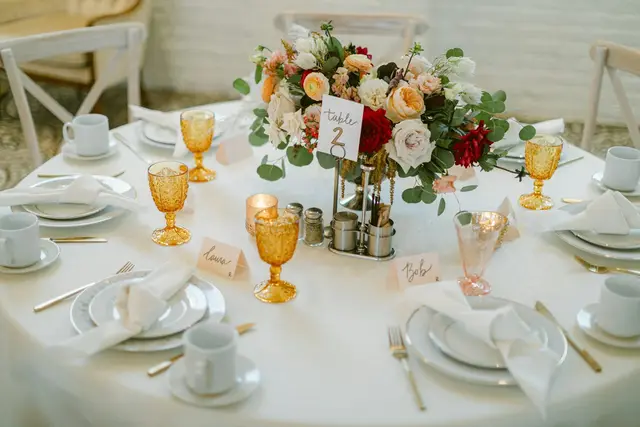
At a seated event the table is the best place by far. Guests spend hours there, their phones are already next to the plate, and one person scanning prompts the others.
- Put one card on every table, and two on long or very large tables so nobody has to reach across.
- Use a card that stands up, such as a folded tent card or a small holder. A card lying flat disappears under napkins and glasses as soon as the meal starts.
- Print both sides if the card stands in the middle, so each half of the table sees a code.
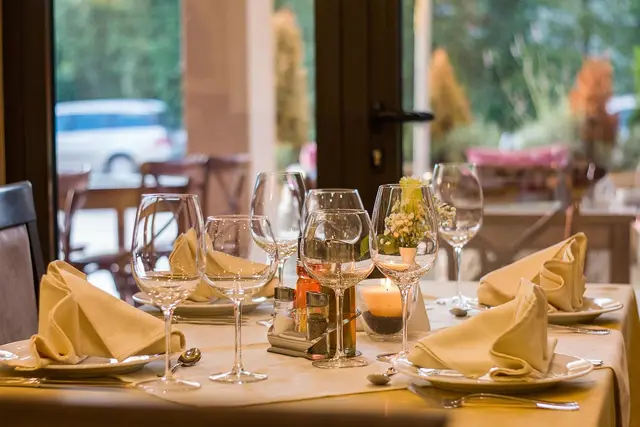
- Keep it clear of tall centrepieces and of candles, whose flicker and glare make scanning harder.
Entrance, bar and other waiting spots
A poster at the entrance tells guests the idea exists. The table card is where most of them act on it. Treat the two as a pair. At the entrance, hang or stand the poster at about eye level, in a spot where a small group can stop without blocking the way.
The bar and the buffet queue are good second positions, because people stand there with nothing to do. A small sign at the photo corner works well too: guests have just taken pictures and the phone is still in their hand. At a standing reception with no tables these spots carry the whole job, so use more of them. At conferences and company events the same logic leads to the registration desk and the coffee area. Our page on corporate events has more on that setting.
The screen and the invitation
If the hall has a screen, show the code on it, but give it time. A code that flashes past for five seconds between slides helps nobody. Let it stay long enough for someone to notice it, take out a phone and scan, and make it large enough to read from the back tables. Screens in bright rooms wash out, so check the contrast in the real lighting.
Printing the code on the invitation or the programme means guests have met it before they arrive, and the cards on the day feel familiar instead of new. Keep the wording on the invitation short and leave the fuller explanation for the table.
Size, contrast and one line of text
A few rules of thumb rescue most cards:
- Size follows distance. The further away the guest stands, the bigger the code. As a rough guide, make the code about a tenth as wide as the distance it will be scanned from: a few centimetres on a table card, far more on a poster read from across a foyer.
- Dark on light. A dark code on a plain light background reads most reliably. Pale codes on coloured or photographic backgrounds look elegant and scan badly.
- Leave a margin. Keep a clear border around the code and do not let ornaments, text or a frame touch it.
- Avoid shine. Matte paper is safer than glossy laminate or a card behind glass, both of which reflect the room's lights.
- One line of instruction. Say what to do and what for, for example "Scan with your camera and share your photos". Mentioning that nothing needs to be downloaded removes the most common hesitation.
Table cards, posters and covers for an event can be designed in DesignAsist so that they match each other. The features page lists what is available.
Test before the doors open
Print one card early and test it properly, then test again in the room.
- Scan with at least two different phones, one of them an older model.
- Scan from where a guest would really sit or stand, in the lighting of the event, not under the office lamp.
- Check that the code opens the right event. If you shoot several events in a week, this is the mistake that is easiest to make and worst to discover late.
- Bring spare cards. Some will get wet, and some will go home with the guests.
During the event, glance at the tables now and then and stand fallen cards back up.
Good placement is mostly about respecting the guest's attention: one clear card, within reach, at a moment when they have time. In CollectAsist every event has its own QR code and page, and the FAQ answers the questions guests most often ask about it.